 Drive and Maintain
Most apps ask for a registration and assume you've got a car. Drive and Maintain starts somewhere else.
What it is comes first
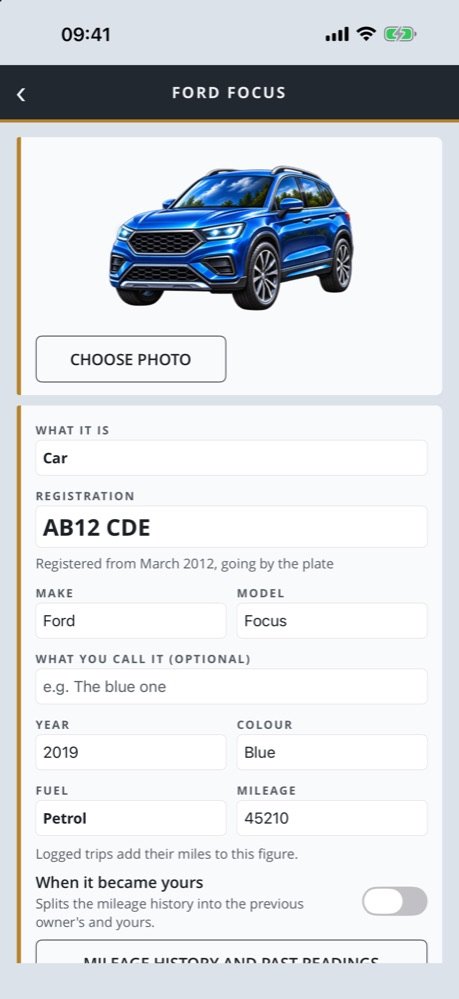
When you add a vehicle, you choose what kind it is first: a car, a van, a motorbike, a caravan or trailer, a motorhome, a lorry, a bus, farm equipment, a car transporter and more.
So everything after fits
The kind of vehicle decides what comes next:
- the dates it has: a caravan doesn't need an MOT; a lorry needs a tachograph calibration;
- the checks: a motorbike's chain, a bus's saloon, a transporter's tie-downs;
- the screens on its tile; and
- the advice, such as the right speed limits.
My vehicles
Every vehicle gets a tile in My vehicles, and its dates go into the one calendar of everything due.
Coming to the iPhone
Drive and Maintain is coming to the iPhone. The free tools on this site, such as the MPG calculator and stopping distances, are built into the app for on the go.
Drive and Maintain for iPhone
MOT, tax, insurance and service reminders
Reminders before every date runs out, mileage and fuel tracked with your real MPG, and the service history kept, for every vehicle you look after.