Drive and Maintain
Tiles under headings
Dashboard
The tiles are grouped by how often you need them. Everyday comes first (filling up, charging, trips, the odometer, parking, checks and the radio, one tap each), then If it goes wrong (broken down, an accident, a puncture, a warning light, where you are and who to ring). After those: Logs & reports, Lorry & HGV, Paperwork & cover, Drivers & licences, Servicing, Tyres, DIY & parts, Towing & loads, Motorbike, Camping & touring, Planning a trip, Family & pets, Road safety know-how, Car games and General. A heading with nothing for your vehicles is left out.
- Scroll down the dashboard to the heading you want.
- Tap a tile to open it; a tile with several parts asks which.
A padlock on a tile marks a subscribers' feature.
- Cars
- Motorbikes
- Vans
- Motorhomes
- Caravans
- Trailers
- Lorries
- Car transporters
- Buses
- Cranes
- Tractors
- Farm equipment
- Ice cream vans

The vehicle in front
Dashboard → the vehicle card
Whichever vehicle's card is in front on the dashboard is the one every screen opens on: services, fuel, tyres, MOT history, the trip logger, the tools and every new booking, fine or warranty. Each screen has its own vehicle picker at the top, so you can look at another vehicle there without changing the dashboard. A screen that isn't for that kind of vehicle (fuel for a caravan, say) opens on your default vehicle instead.
- Swipe the cards on the dashboard to the vehicle.
- Tap any tile: it opens on that vehicle.
- To look at another one there, choose it from the vehicle picker at the top of the screen.
Opened from a reminder or a shortcut for a particular vehicle, a screen opens on that vehicle instead.
- Cars
- Motorbikes
- Vans
- Motorhomes
- Caravans
- Trailers
- Lorries
- Car transporters
- Buses
- Cranes
- Tractors
- Farm equipment
- Ice cream vans
Shortcuts
Settings → Dashboard
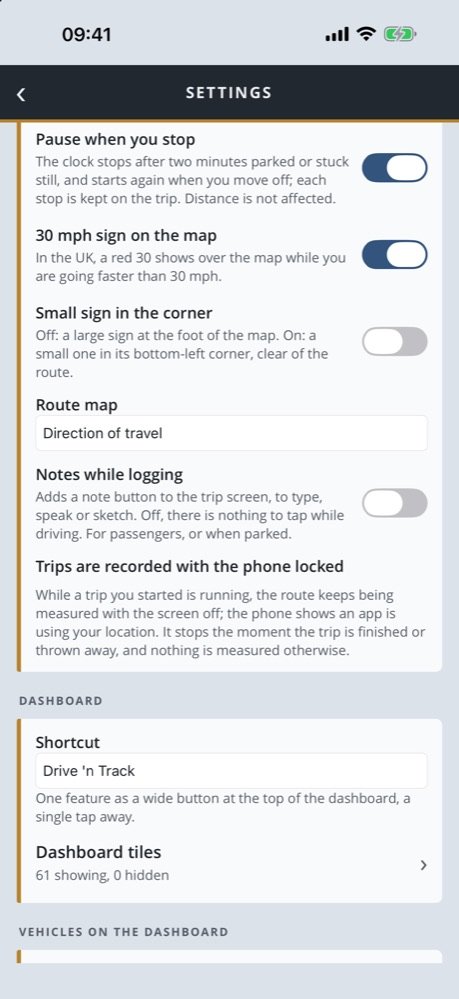
Up to three shortcuts sit under the vehicle card: one wide button, logging a trip unless you change it, and a row of two smaller ones below it for other things you do every day. The two smaller ones are off until you choose a feature for each, and one on its own fills the row.
- Open Settings and find Dashboard.
- Choose the Shortcut, then Second row, left and Second row, right.
- Choose None to take one away.
- Cars
- Motorbikes
- Vans
- Motorhomes
- Caravans
- Trailers
- Lorries
- Car transporters
- Buses
- Cranes
- Tractors
- Farm equipment
- Ice cream vans
Headings, blanks and groups
Settings → Groups on the dashboard
Each group's last row is finished with faint blank tiles, so every row is four across; new features will fill them in time. Prefer one run of tiles? Switch off Group tiles under headings and the headings and blanks go. Any group can be taken off the dashboard, and its features stay in the app.
- Open Settings and find Groups on the dashboard.
- Switch Group tiles under headings on or off.
- Under Groups shown, switch off any group you have no use for: each says what it holds, and which ones most people can do without.
Every Settings section folds away: tap its heading or the chevron, and it stays folded next time.
- Cars
- Motorbikes
- Vans
- Motorhomes
- Caravans
- Trailers
- Lorries
- Car transporters
- Buses
- Cranes
- Tractors
- Farm equipment
- Ice cream vans
Fold a group away
Dashboard → any heading
Every heading on the dashboard folds its tiles away, the same way Settings' sections do. The heading stays, with its chevron pointing right, so the group is a tap away; open, the chevron points down. Each group remembers how you left it.
- Tap a heading, or the chevron beside it, to fold its tiles away.
- Tap it again to open it.
Folding is quicker than taking a group off the dashboard, and easy to undo.
- Cars
- Motorbikes
- Vans
- Motorhomes
- Caravans
- Trailers
- Lorries
- Car transporters
- Buses
- Cranes
- Tractors
- Farm equipment
- Ice cream vans
A tile for every kind of vehicle
Dashboard → My vehicles
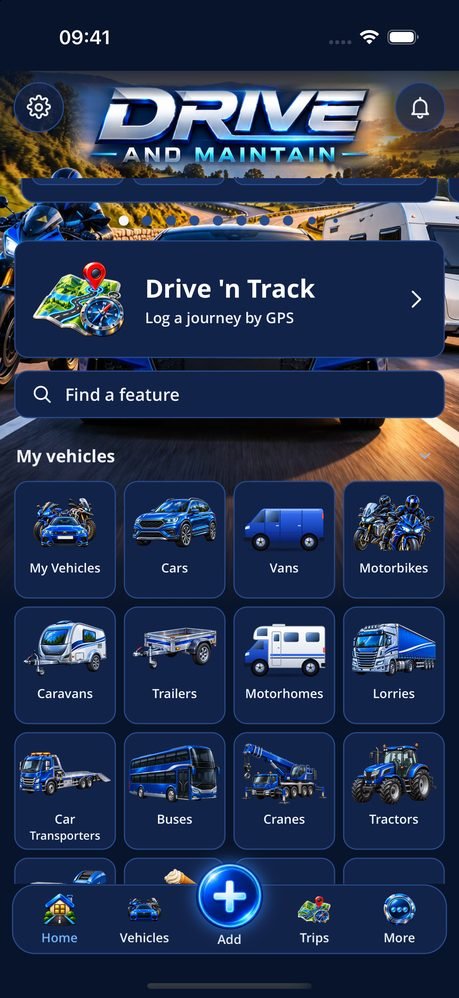
My vehicles has a tile for every kind of vehicle, each opening its own screen: Cars, Vans, Motorbikes, Caravans, Trailers, Motorhomes, Lorries, Car Transporters, Buses, Cranes, Tractors, Farm Equipment and Ice Cream Vans. A kind you have none of yet opens on adding one. Prefer only the kinds you keep? Switch off A tile for every kind of vehicle in Settings.
- Tap a kind's tile under My vehicles.
- With none of that kind yet, tap ADD to add one.
- To show only your own kinds, open Settings → Vehicles on the dashboard and switch off A tile for every kind of vehicle.
- Cars
- Motorbikes
- Vans
- Motorhomes
- Caravans
- Trailers
- Lorries
- Car transporters
- Buses
- Cranes
- Tractors
- Farm equipment
- Ice cream vans
One kind at a time
The strip across the top of the dashboard
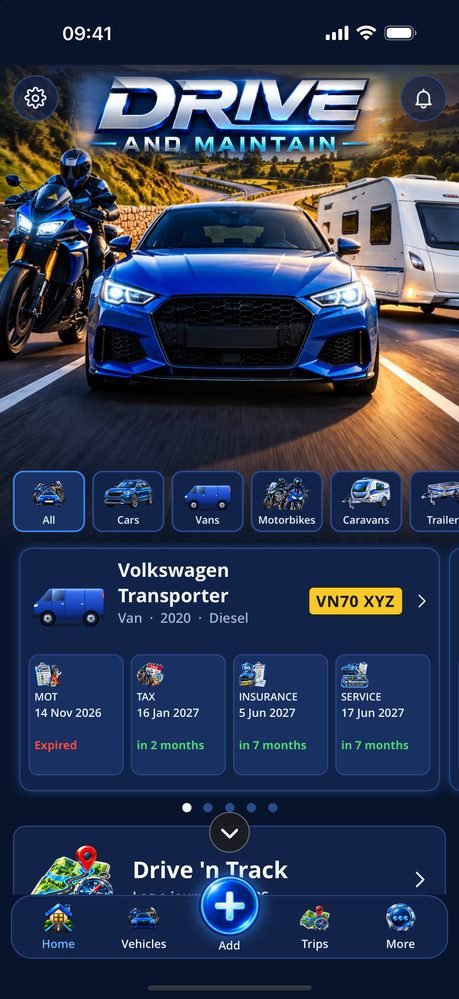
The strip shows All, or one kind: Cars, Vans, Motorbikes, Caravans, Trailers, Motorhomes, Lorries · HGV, Car Transporters, Buses, Cranes, Tractors, Farm Equipment or Ice Cream Vans. Choose one and the dashboard shows only those vehicles and the tiles for them.
- Tap a kind on the strip.
- Tap All to see everything again.
- Cars
- Motorbikes
- Vans
- Motorhomes
- Caravans
- Trailers
- Lorries
- Car transporters
- Buses
- Cranes
- Tractors
- Farm equipment
- Ice cream vans
Vehicles on the dashboard
Settings → Vehicles on the dashboard
Keep the strip as standard, show only the kinds you choose, one kind only, or one vehicle only with the strip hidden.
- Open Settings with the cog at the top left.
- Choose how the dashboard shows your vehicles.
- Cars
- Motorbikes
- Vans
- Motorhomes
- Caravans
- Trailers
- Lorries
- Car transporters
- Buses
- Cranes
- Tractors
- Farm equipment
- Ice cream vans
Find a feature
Dashboard → Find a feature, above the tiles
A search over every screen in the app, by its name, its heading or the everyday words for it: road tax, PCN, tyre pressure, jump start, logbook.
- Tap Find a feature above the tiles.
- Type a word or two.
- Tap a result to open it.
Before you type, it lists every feature A to Z.
- Cars
- Motorbikes
- Vans
- Motorhomes
- Caravans
- Trailers
- Lorries
- Car transporters
- Buses
- Cranes
- Tractors
- Farm equipment
- Ice cream vans
Add anything
The + at the foot of the dashboard → EVERYTHING…
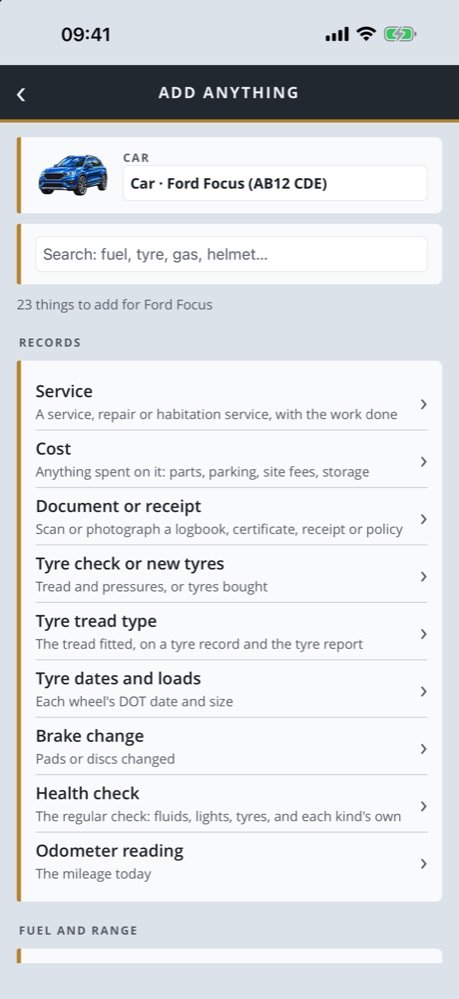
Every kind of entry in the app, searchable, filtered to what suits the vehicle chosen: a caravan is offered a weigh-in, never a fill-up.
- Tap + at the foot of the dashboard.
- Pick a quick add, or EVERYTHING… for the full list.
- Search, then tap to add it to the vehicle.
- Cars
- Motorbikes
- Vans
- Motorhomes
- Caravans
- Trailers
- Lorries
- Car transporters
- Buses
- Cranes
- Tractors
- Farm equipment
- Ice cream vans