 Drive and Maintain
Calendar and reminders
Dashboard → Paperwork & cover → Calendar & Dates
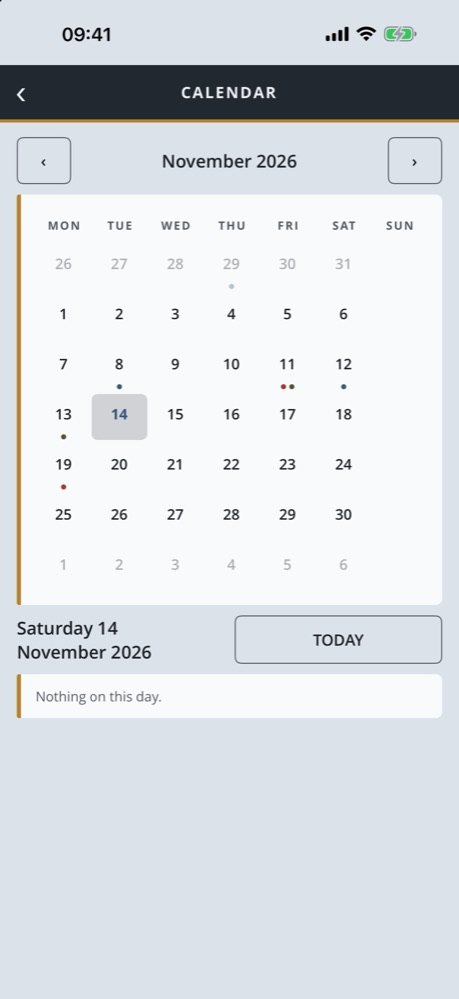
Every date for every vehicle on a month view, and every reminder set.
- Move between months with ‹ and ›.
- Tap a day for what is due.
- Cars
- Motorbikes
- Vans
- Motorhomes
- Caravans
- Trailers
- Lorries
- Car transporters
- Buses
- Cranes
- Tractors
- Farm equipment
- Ice cream vans
All dates
Dashboard → Paperwork & cover → Calendar & Dates → All dates
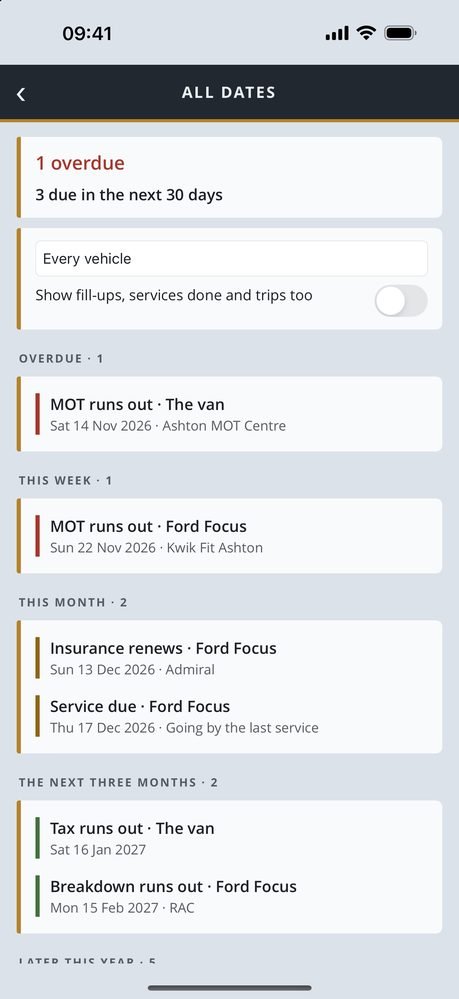
Every date the app holds for every vehicle and driver in one list, from what is overdue to a year ahead: MOT, tax, insurance and cover, services, licences, fines' deadlines, finance, bookings and tyre rotations. Choose a vehicle to see only its dates.
- Open All dates.
- Due only leaves out the logs; Everything puts them back.
- Tap a date to open where it is kept.
- Cars
- Motorbikes
- Vans
- Motorhomes
- Caravans
- Trailers
- Lorries
- Car transporters
- Buses
- Cranes
- Tractors
- Farm equipment
- Ice cream vans
Documents
Dashboard → Paperwork & cover → Documents
Scans and photos of the V5C, MOT certificates, schedules and receipts, by category with the gaps shown. A photo can be squared up into a PDF, and a logbook read into the vehicle.
- ADD A DOCUMENT and scan it.
- Choose what it is and what it goes with.
- Cars
- Motorbikes
- Vans
- Motorhomes
- Caravans
- Trailers
- Lorries
- Car transporters
- Buses
- Cranes
- Tractors
- Farm equipment
- Ice cream vans

Insurance and breakdown
Dashboard → Paperwork & cover → Cover
Each policy and when it renews, quote details on one page, and breakdown cover with a CALL button and where you are, as the operator asks.
- Add the policy and its drivers.
- QUOTE DETAILS for a renewal quote.
- Cars
- Motorbikes
- Vans
- Motorhomes
- Caravans
- Trailers
- Lorries
- Car transporters
- Buses
- Cranes
- Tractors
- Farm equipment
- Ice cream vans
Drivers and riders
Dashboard → Drivers & licences → Drivers & Riders
Each driver's licence, categories and photocard renewal; a licence photo read into the form.
- ADD A DRIVER.
- SCAN THE LICENCE to fill it in.
- Cars
- Motorbikes
- Vans
- Motorhomes
- Lorries
- Car transporters
- Buses
- Cranes
- Tractors
- Ice cream vans
Vehicle tax
Dashboard → Paperwork & cover → Documents → Vehicle tax
Each vehicle's tax at the current GOV.UK rates: by engine size, CO2 band, or the standard rate with the expensive car supplement, for cars, vans, motorhomes, motorbikes and historic vehicles, with the monthly cost. The yearly figure is shown on each vehicle's own page and on the Tax renewals, All dates, Historic vehicles and Buying or selling screens too, and a tap opens it.
- Choose the vehicle.
- Add its first registration date, CO2, engine size and list price from the V5C.
Tax is paid on GOV.UK or at a Post Office, not in the app.
Free on the web: Car tax calculator ›
- Cars
- Motorbikes
- Vans
- Motorhomes
- Lorries
- Car transporters
- Buses
- Cranes
- Tractors
- Ice cream vans
What can I drive?
Dashboard → Drivers & licences → Drivers & Riders → What can I drive?
A driver's licence categories turned into what they can drive and tow, and each of your vehicles checked against them by its plated weight.
- Add the categories on the driver's form.
- Open What can I drive? and choose the driver.
- Cars
- Motorbikes
- Vans
- Motorhomes
- Caravans
- Trailers
- Lorries
- Car transporters
- Buses
- Cranes
- Tractors
- Farm equipment
- Ice cream vans
Penalty points
Dashboard → Drivers & licences → Drivers & Riders → Penalty points
Each endorsement by its code, when it stops counting towards a ban and when it comes off the record, with the 12-point and new-driver limits.
- Choose the driver.
- Add the code, points and dates from the paperwork.
- Cars
- Motorbikes
- Vans
- Motorhomes
- Caravans
- Trailers
- Lorries
- Car transporters
- Buses
- Cranes
- Tractors
- Farm equipment
- Ice cream vans
Child seats
Dashboard → Family & pets → Baby Seats → Child seats
The child car seat law, and each child's age, height and weight with the stage of seat that suits them now and what comes next.
- Add a child.
- Add their height and weight.
Kept on the phone only.
- Cars
- Motorbikes
- Vans
- Motorhomes
- Lorries
- Car transporters
- Buses
- Cranes
- Tractors
- Ice cream vans
Fines and notices
Dashboard → Paperwork & cover → Calendar & Dates → Fines and notices
Parking tickets, camera notices, private parking charges and speeding notices, with the date the discount ends, the last day to pay, challenge or name the driver, a reminder two days before, and how to appeal each.
- Add the notice and its date.
- Set where it stands as it goes.
- Cars
- Motorbikes
- Vans
- Motorhomes
- Lorries
- Car transporters
- Buses
- Cranes
- Tractors
- Ice cream vans
Tolls and charges
Dashboard → Paperwork & cover → Calendar & Dates → Tolls and charges
Dart Charge, clean air zones, congestion charges and toll roads, with the deadline to pay each.
- Add a charge after the trip.
- Pay it on the official site before the deadline.
- Cars
- Motorbikes
- Vans
- Motorhomes
- Lorries
- Car transporters
- Buses
- Cranes
- Tractors
- Ice cream vans
Accident report
Dashboard → If it goes wrong → Accident Report
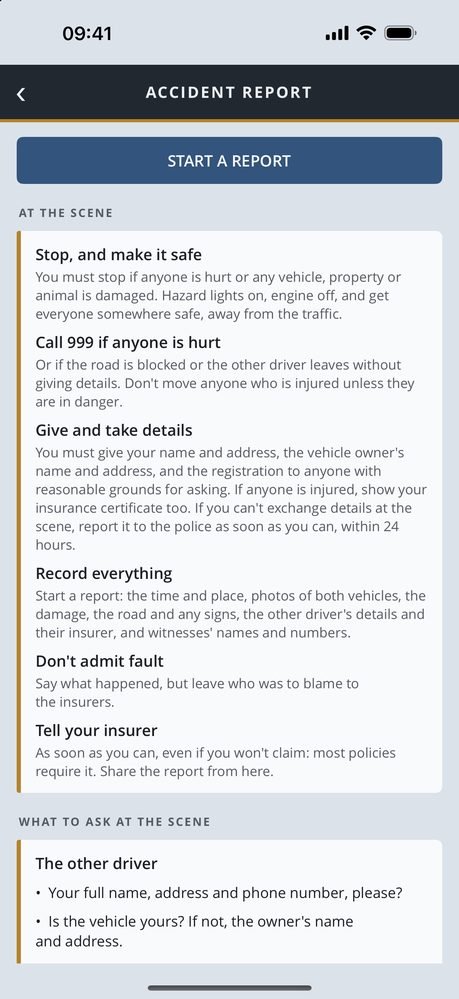
What to do at the scene and what to ask the other driver and each witness, then a report with the time, place, the other driver's details, witnesses and photos, the 29 questions an insurer asks (your driving, the scene, the other side, witnesses, afterwards), and a sketch of the scene drawn with a finger. Share it all with your insurer.
- Start a report at the scene.
- Ask the questions on the card.
- Answer what you can, take photos and sketch the scene.
- Share the report and the sketch with your insurer.
Don't admit fault: say what happened and leave the blame to the insurers.
- Cars
- Motorbikes
- Vans
- Motorhomes
- Lorries
- Car transporters
- Buses
- Cranes
- Tractors
- Ice cream vans
Number plates
Dashboard → Paperwork & cover → Number Plates
The rules on number plates: the characters, spacing, borders and badges allowed.
- Read the rules before buying plates.
- Cars
- Motorbikes
- Vans
- Motorhomes
- Lorries
- Car transporters
- Buses
- Cranes
- Tractors
- Ice cream vans
Buying or selling
Dashboard → My vehicles → My Vehicles → Buying or selling
Tick lists for buying a used vehicle (the V5C, the VIN, the MOT history against the odometer, paying safely) and for selling one (telling the DVLA, the tax refund, keeping a private plate, clearing your data).
- Choose Buying or Selling.
- Tick each check as it is done.
- Cars
- Motorbikes
- Vans
- Motorhomes
- Caravans
- Trailers
- Lorries
- Car transporters
- Buses
- Cranes
- Tractors
- Farm equipment
- Ice cream vans
Car shopping
Dashboard → My vehicles → My Vehicles → Car shopping
Every vehicle you are looking at to buy: the price, year, mileage, seller and advert, a star rating and notes, viewings booked with a reminder, a viewing checklist, and the shortlist compared side by side.
- Add each vehicle from its advert.
- Book a viewing and tick the checklist there.
- Compare the shortlist; Bought it adds it to My vehicles.
- Cars
- Motorbikes
- Vans
- Motorhomes
- Caravans
- Trailers
- Lorries
- Car transporters
- Buses
- Cranes
- Tractors
- Farm equipment
- Ice cream vans

Historic vehicles
Dashboard → My vehicles → My Vehicles → Historic vehicles
When each vehicle reaches the historic tax class (no charge) and the MOT exemption at 40 years, and what it takes.
- Open Historic vehicles for each vehicle's dates.
- Cars
- Motorbikes
- Vans
- Motorhomes
- Lorries
- Car transporters
- Buses
- Cranes
- Tractors
- Ice cream vans
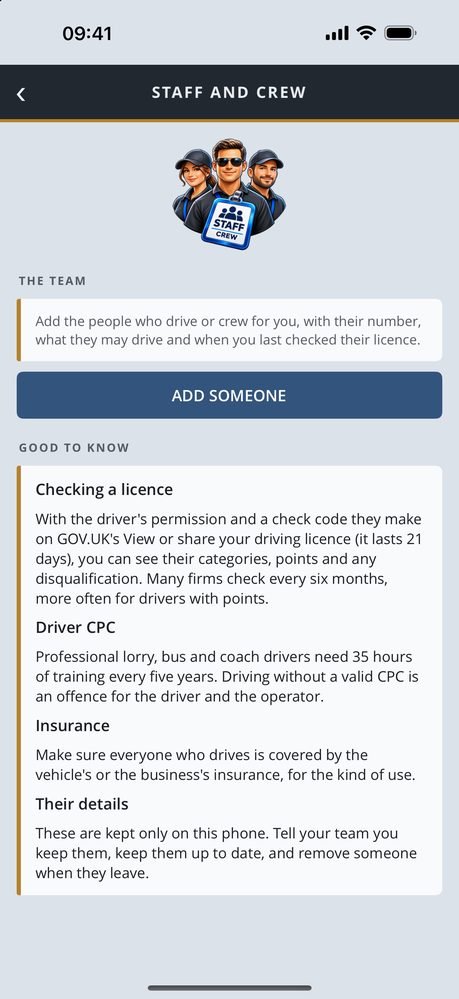
Staff and crew
Dashboard → Drivers & licences → Staff & Crew
For anyone running vehicles with other people: each person's role and number a tap away, the licence categories they hold, when their licence was last checked (flagged after six months) and their Driver CPC expiry (flagged two months before).
- ADD SOMEONE with their details.
- Tap a person to call, text or mark their licence checked today.
Check a licence with the check code the driver makes on GOV.UK.
- Cars
- Motorbikes
- Vans
- Motorhomes
- Lorries
- Car transporters
- Buses
- Cranes
- Tractors
- Ice cream vans
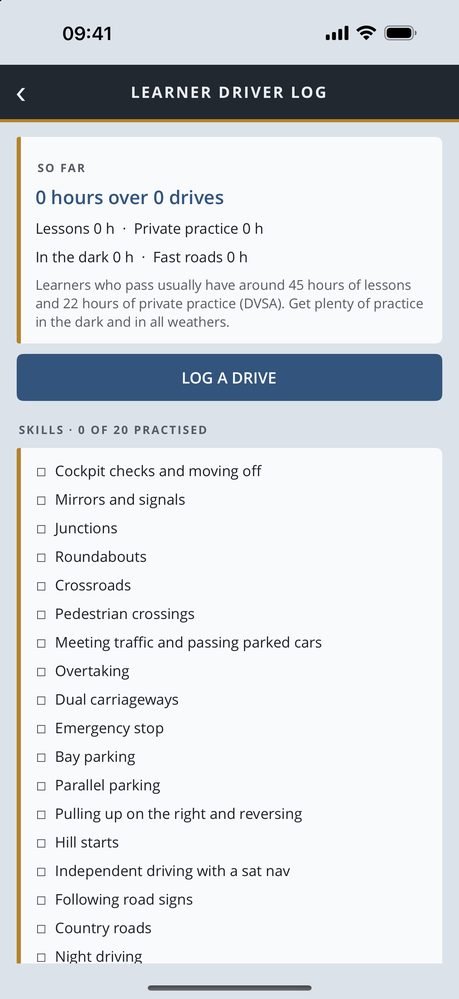
Learner driver log
Dashboard → Drivers & licences → Learner Log
Each practice drive or lesson with how long, who sat in, the conditions and the skills worked on; the hours so far, in the dark and on fast roads; the skills still to practise; and the UK rules for supervising a learner.
- Tap LOG A DRIVE after each drive.
- Tick the conditions and skills.
- Cars
- Motorbikes
- Vans
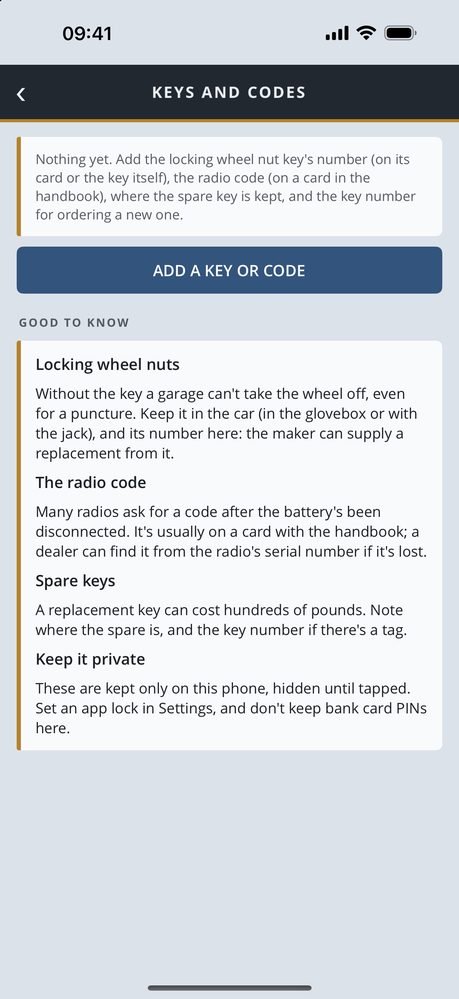
Keys and codes
Dashboard → Paperwork & cover → Keys & Codes
The things that can't be found when they're needed: the locking wheel nut key's number, the radio code, where the spare key is, the key number. Each hidden until tapped.
- ADD A KEY OR CODE for each vehicle.
- Tap one to show it, then again to copy or change it.
Set an app lock, and never keep a bank PIN here.
- Cars
- Motorbikes
- Vans
- Motorhomes
- Lorries
- Car transporters
- Buses
- Cranes
- Tractors
- Ice cream vans
Warranties
Dashboard → Paperwork & cover → Warranties
Each vehicle's warranties (the maker's, extended, an electric car's battery, paint, parts) with when they end, any mileage limit, what they cover and who to call, and reminders 8 and 2 weeks before they end.
- Tap + to add a warranty.
- Add what it covers and the contact.
Most warranties need servicing on time: keep the invoices.
- Cars
- Motorbikes
- Vans
- Motorhomes
- Caravans
- Trailers
- Lorries
- Car transporters
- Buses
- Cranes
- Tractors
- Farm equipment
- Ice cream vans
Lease and PCP
Dashboard → Paperwork & cover → Lease & PCP
A lease or PCP's dates and mileage allowance, the miles used so far from the odometer, where you're heading by the end and roughly what any excess would cost, with reminders 3 months and 1 month before it ends.
- Tap + and add the dates, the allowance and the odometer at the start.
- Keep the odometer up to date for a fresh figure.
- Cars
- Motorbikes
- Vans
- Motorhomes
- Lorries
- Car transporters
- Buses
- Cranes
- Tractors
- Ice cream vans
Licence renewal
Dashboard → Drivers & licences → Licence Renewal
Each driver's photocard expiry (every 10 years) and the licence renewal at 70 and every 3 years after, with reminders 8 and 2 weeks before.
- Tap + and add the date in 4b on the photocard.
- Add the date of birth for the 70 rule.
UK law: driving with an out-of-date photocard can mean a fine of up to £1,000.
- Cars
- Motorbikes
- Vans
- Motorhomes
- Caravans
- Trailers
- Lorries
- Car transporters
- Buses
- Cranes
- Tractors
- Farm equipment
- Ice cream vans