Drive and Maintain
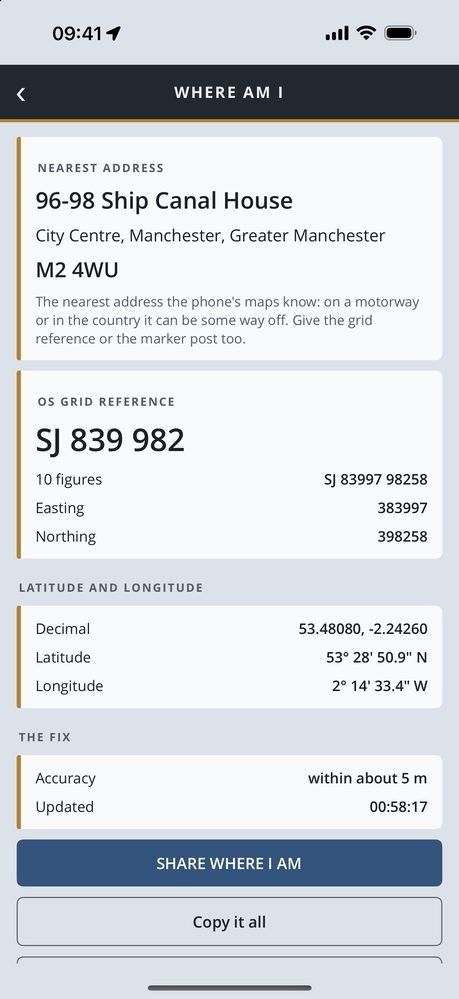
Where am I
Dashboard → If it goes wrong → Where Am I
Everything that says where you are, on one screen: the road and nearest address with its postcode, the Ordnance Survey grid reference (6 and 10 figures), latitude and longitude in decimals and in degrees, the height, how good the fix is, the speed and the heading. It refreshes while it is open.
- Open Where Am I.
- Read it out, or copy or share it all in one go.
The grid reference is what mountain rescue and many recovery firms ask for.
- Cars
- Motorbikes
- Vans
- Motorhomes
- Caravans
- Trailers
- Lorries
- Car transporters
- Buses
- Cranes
- Tractors
- Farm equipment
- Ice cream vans
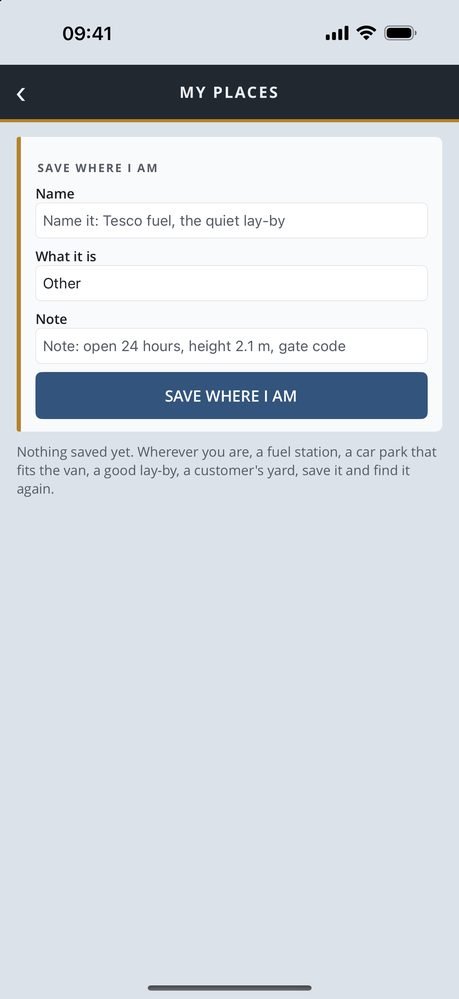
My places
Dashboard → Planning a trip → My Places
Save where you are with a name, a kind (fuel, charger, car park, garage, café, lay-by, campsite, low bridge, a customer and more), a note and the nearest address. The list is nearest first, with how far and which way.
- Tap SAVE WHERE I AM.
- Give it a name and a kind.
- Tap a place for directions or to share it.
- Cars
- Motorbikes
- Vans
- Motorhomes
- Caravans
- Trailers
- Lorries
- Car transporters
- Buses
- Cranes
- Tractors
- Farm equipment
- Ice cream vans
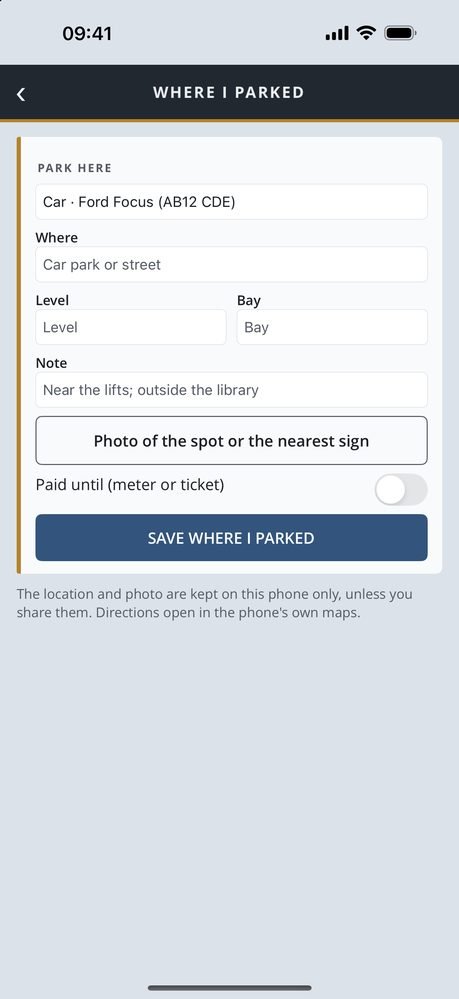
Where I parked
Dashboard → Everyday → Where I Parked
The spot, with the car park, level and bay, a photo, and how far and which way back to it. Earlier spots are kept.
- Tap to save where you are when you park.
- Add the level and bay, or a photo.
- Come back to it for the way back.
- Cars
- Motorbikes
- Vans
- Motorhomes
- Caravans
- Trailers
- Lorries
- Car transporters
- Buses
- Cranes
- Tractors
- Farm equipment
- Ice cream vans
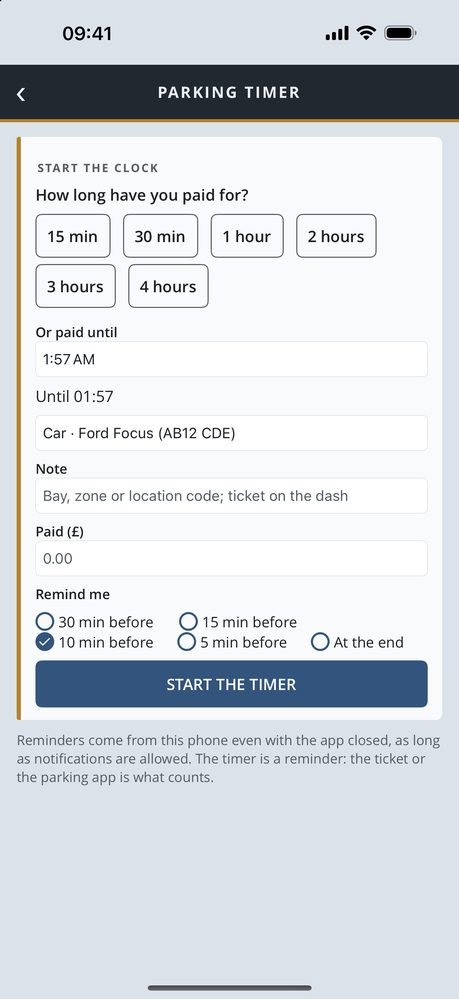
Parking timer
Dashboard → Everyday → Parking Timer
The paid time on a meter, a ticket or an app, counted down, with reminders 30, 15, 10 or 5 minutes before it runs out and at the end. Top it up when you add time, and see the month's parking spend.
- Start a timer for the time paid.
- Choose when to be reminded.
- Add time if you top up.
- Cars
- Motorbikes
- Vans
- Motorhomes
- Lorries
- Car transporters
- Buses
- Cranes
- Tractors
- Ice cream vans
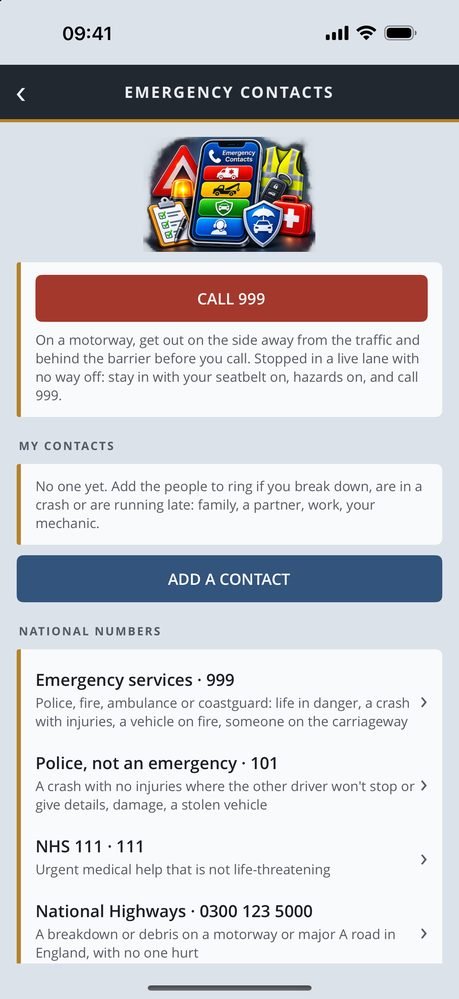
Emergency contacts
Dashboard → If it goes wrong → Emergency Contacts
The national numbers (999, 101, 111, National Highways), each vehicle's breakdown and insurance helplines, and your own people, the ones marked in case of emergency first. Ring or text any of them, or text where you are.
- Add your own contacts.
- Tap one to ring or text it.
- Text where I am sends the nearest address, grid reference and a map link.
Add your breakdown cover in Cover so its helpline is here too.
- Cars
- Motorbikes
- Vans
- Motorhomes
- Caravans
- Trailers
- Lorries
- Car transporters
- Buses
- Cranes
- Tractors
- Farm equipment
- Ice cream vans
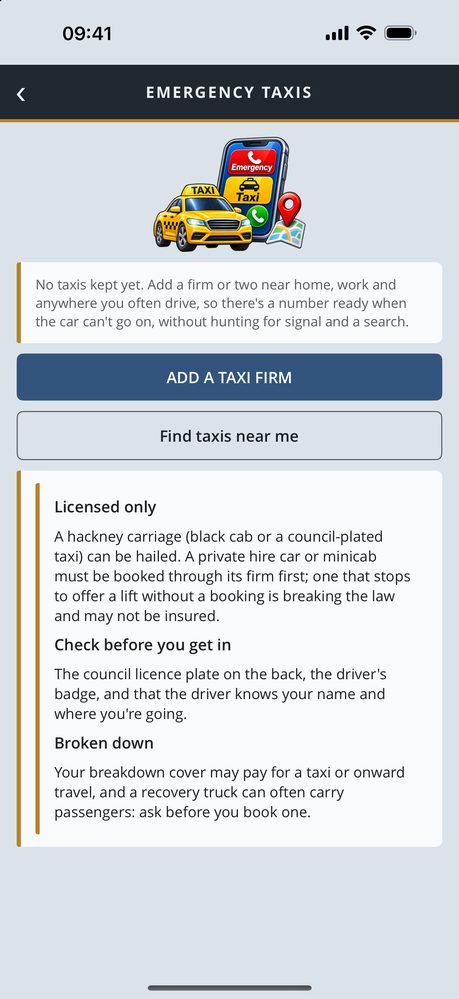
Emergency taxis
Dashboard → If it goes wrong → Emergency Taxis
Local taxi and private hire firms kept for when the vehicle can't go on: the number, the area, wheelchairs and cards, an account number. Firms pinned where you add them list nearest first.
- ADD A TAXI FIRM near home, work and where you often drive.
- Tap a firm to ring it, or text where you are for a pickup.
- Find taxis near me searches the phone's maps.
A minicab must be booked through its firm, never hailed.
- Cars
- Motorbikes
- Vans
- Motorhomes
- Caravans
- Trailers
- Lorries
- Car transporters
- Buses
- Cranes
- Tractors
- Farm equipment
- Ice cream vans