 Drive and Maintain
Plenty of newer cars have an electronic parking brake (EPB): a small switch instead of a handbrake lever.
How it works
Pull the switch up to apply it, and press it down (usually with your foot on the brake) to release it. Many release automatically when you drive off with your seat belt on.
Auto hold
Some cars have an auto hold button. When you stop, the car holds itself on the brakes until you press the accelerator: useful in queues and on hills.
The warning light
A red P or brake symbol shows it's on. An amber light with a warning symbol means a fault: check the handbook, and get it seen to.
Flat battery
With a flat battery, an EPB may not release, which can make recovery harder. The handbook may show an emergency release; breakdown services know how to deal with it.
Brake servicing
On many cars, replacing the rear pads on an EPB needs a diagnostic tool to wind the brake back. Not one for a quick DIY job.
Parking
On a steep hill, use the parking brake and turn the wheels towards the kerb (downhill) or away (uphill), and leave an automatic in P.
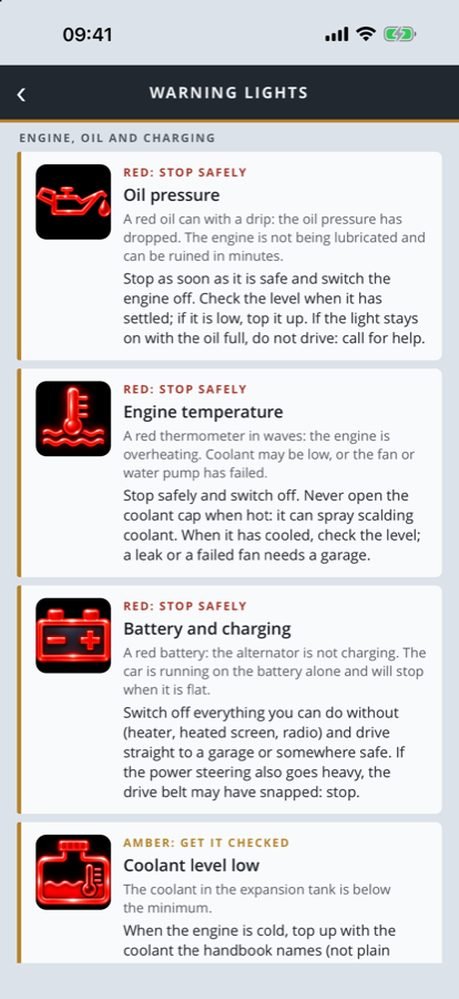
In the app
Drive and Maintain explains every common warning light, the parking brake fault included.
MOT, tax, insurance and service reminders
Reminders before every date runs out, mileage and fuel tracked with your real MPG, and the service history kept, for every vehicle you look after.